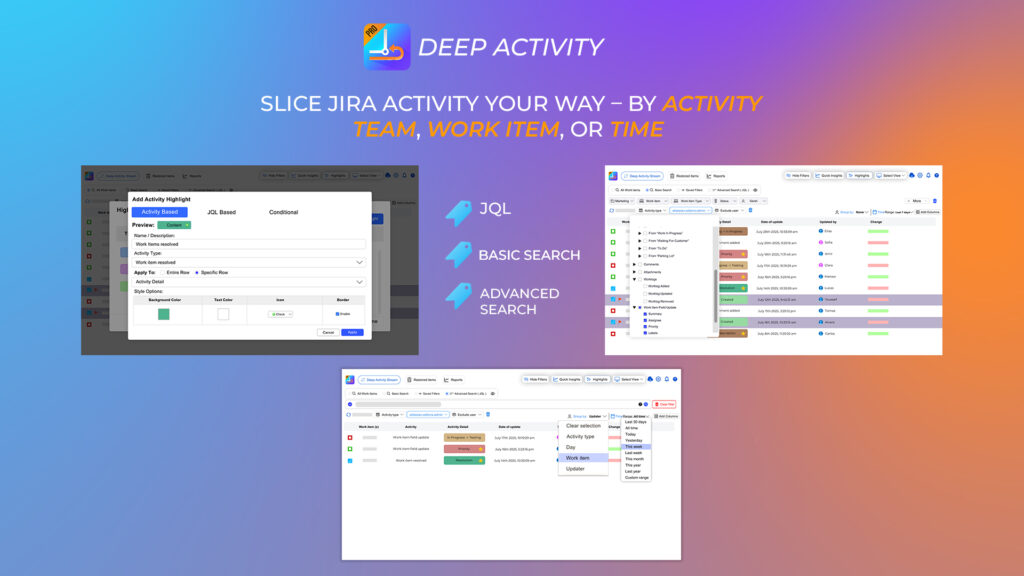
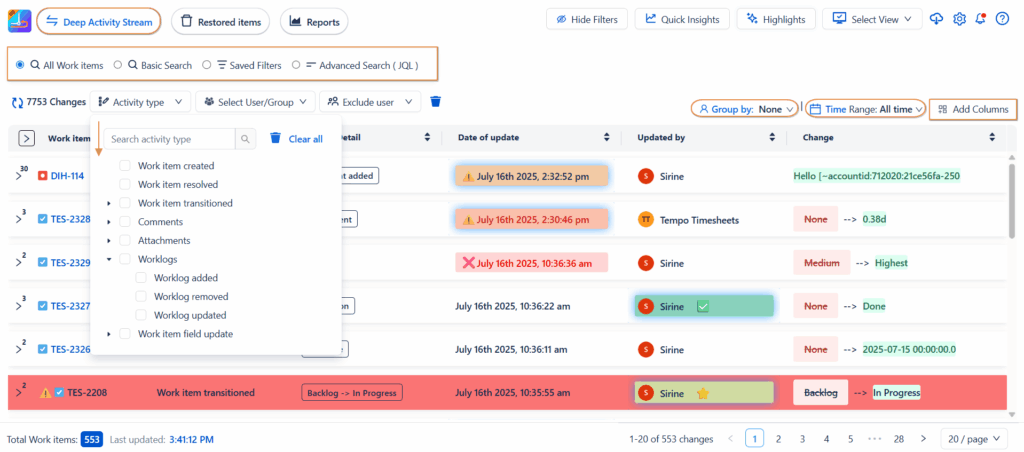
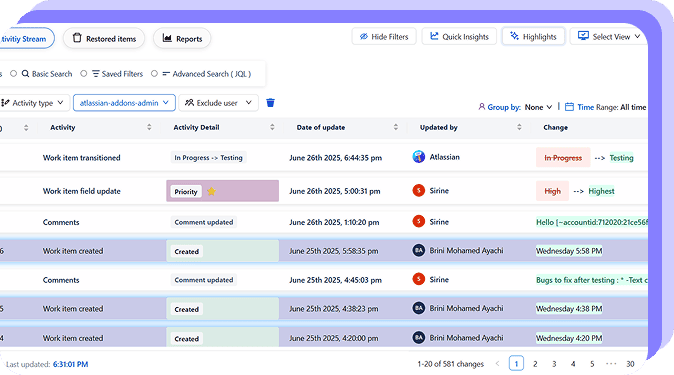
Colored Issue History allows you to filter updates using basic search, saved filters, or even JQL. You can further refine results by activity type, user, group, or date range helping you zoom in on exactly what matters.
To make it even clearer, the app offers custom highlights: assign unique icons and colors to key change types like transitions, edits, or worklogs. Your data will not only be visible, it will be understandable at a glance.
Mistakes happen. That’s why Colored Issue History includes a unique recovery feature to restore deleted work items even after they’ve disappeared from your Jira instance. It’s a game-changer for administrators and compliance-focused teams who can’t afford to lose track of important records.
Quick Insights and In-Depth Reports
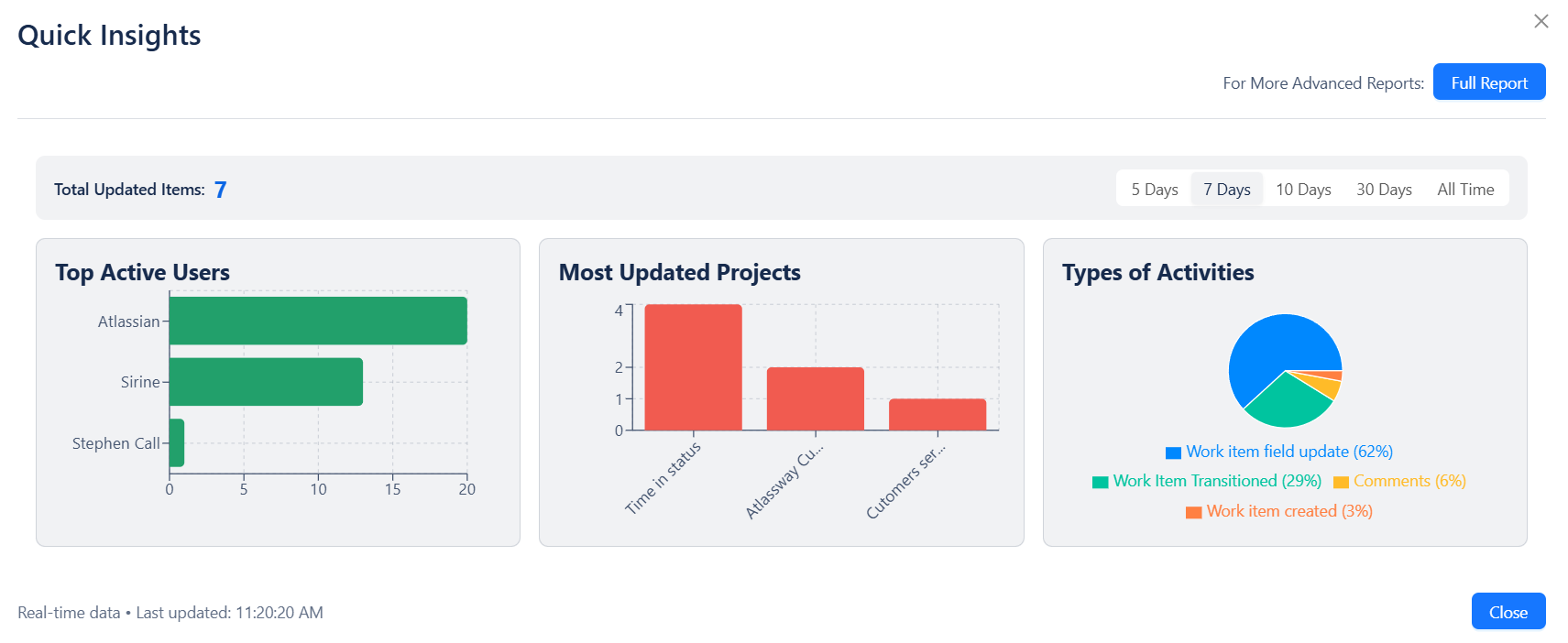
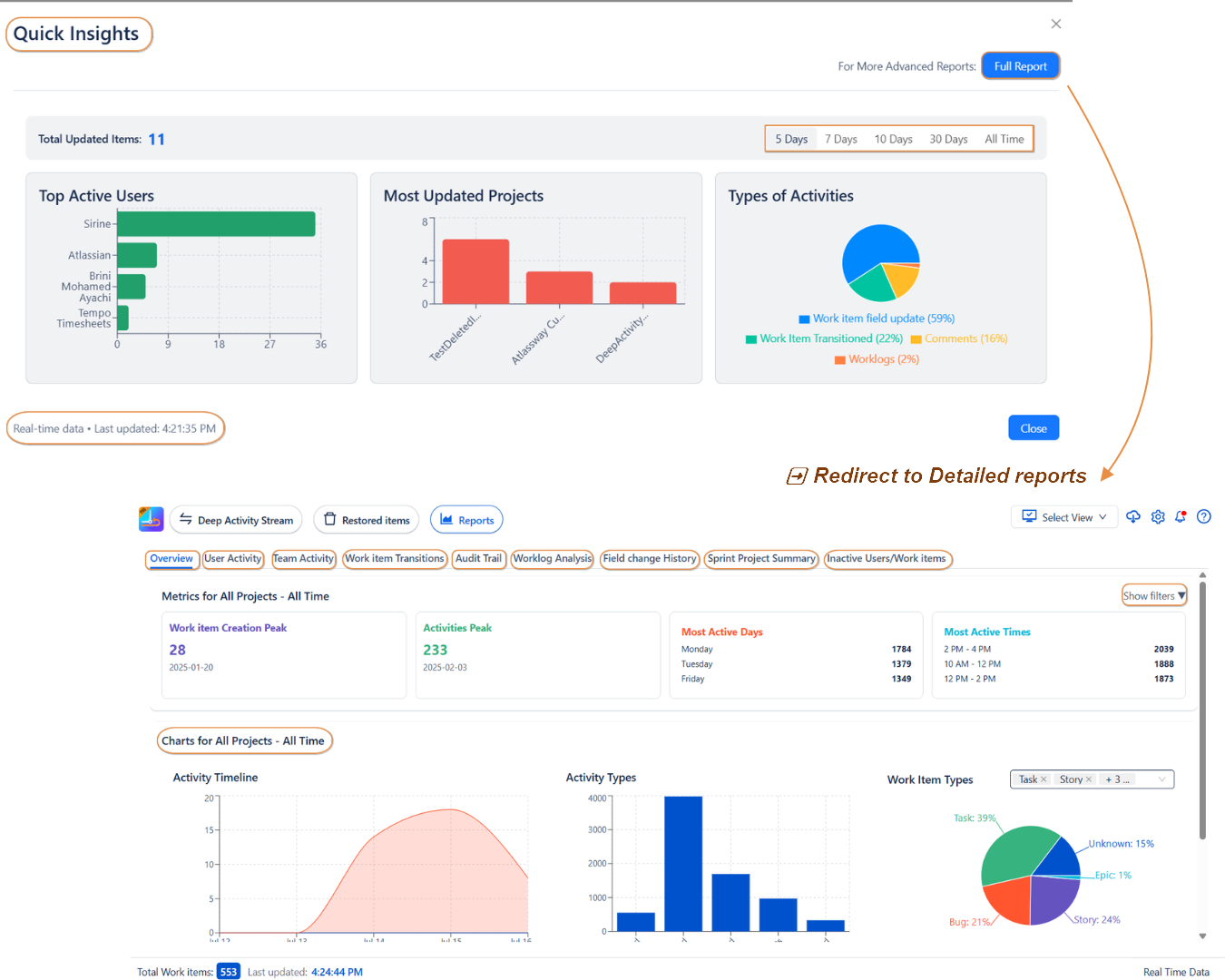
Need fast answers? Quick Insights panel delivers instant summaries of user activities, work item transitions, and key updates across your Jira instance.
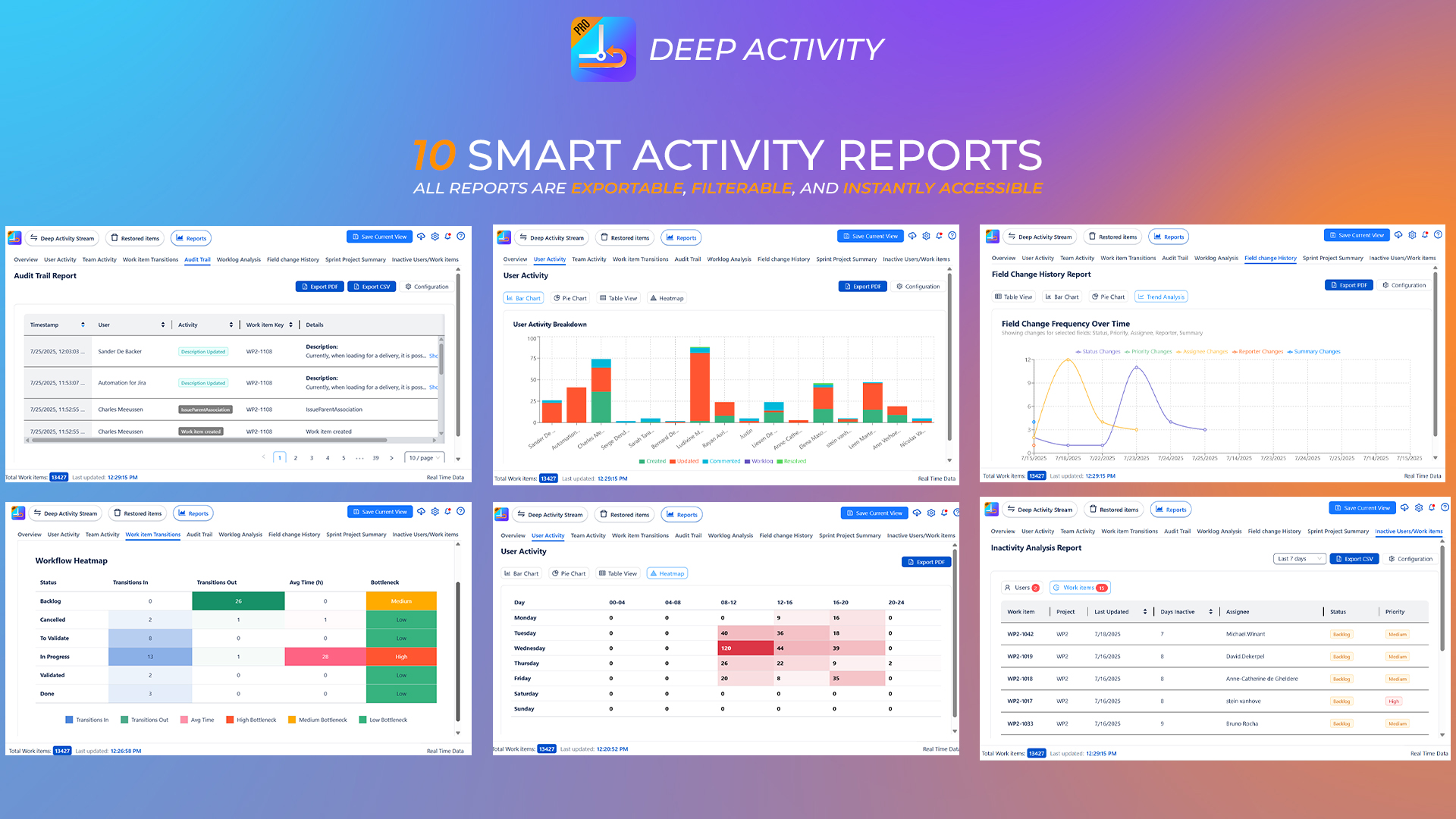
When you need more detail, explore our suite of 10+ advanced reports. You’ll find fully filterable, exportable reports on users, worklogs, field edits, transition histories, and more perfect for audits, retrospectives, or performance reviews.
Get instant insights into your Jira activity with Atlassway Agent. Simply ask questions in natural language to discover recent changes, updates, comments, status changes and project activity helping you understand what’s happening in Jira faster and with less manual effort.
We built Colored Issue History with one goal in mind: to make navigating Jira changes feel effortless. The interface is clean, intuitive, and responsive so intuitive, in fact, that you won’t need a user guide to get started. Whether you’re scanning global activity or diving into detailed reports, everything flows naturally.
One team told us that reviewing changes and audits became something they actually enjoy because with Colored Issue History, the information is not only accessible, it’s presented in a way that makes sense.
Never miss an important change again, Colored Issue History keeps you informed in real time
Whether it’s a new feature, improvement, or important app notice, you’ll receive a notification right inside Jira. No need to check manually we’ll bring the news to you.