

Linked issues in Jira Cloud quickly become messy:

This app fixes that.**

This solves one of Jira’s biggest limitations.
This is essential for data quality and accurate reporting.


Essential for enterprise teams with thousands of issues.


Jira does not provide advanced link management natively.
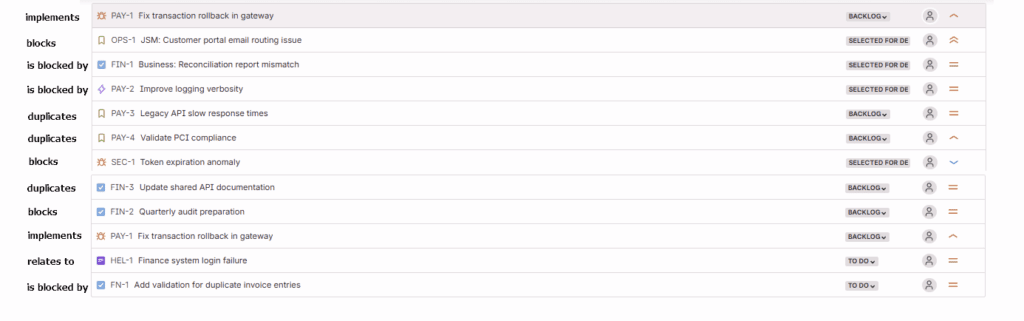
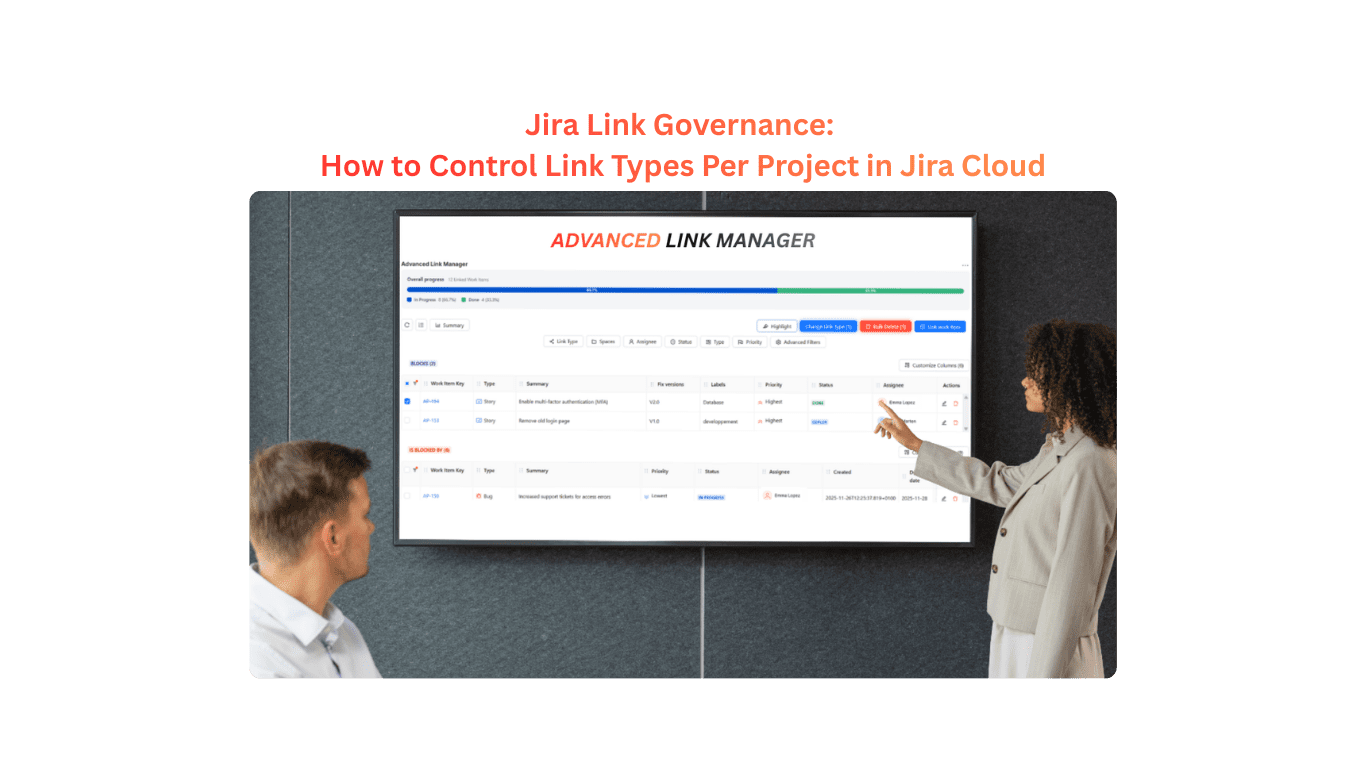
Advanced Link Manager for Jira adds grouping, ordering, link-type validation, visualizations, and governance , all directly inside the issue view. You get full control without leaving the work item.
Jira does not support reordering out of the box.
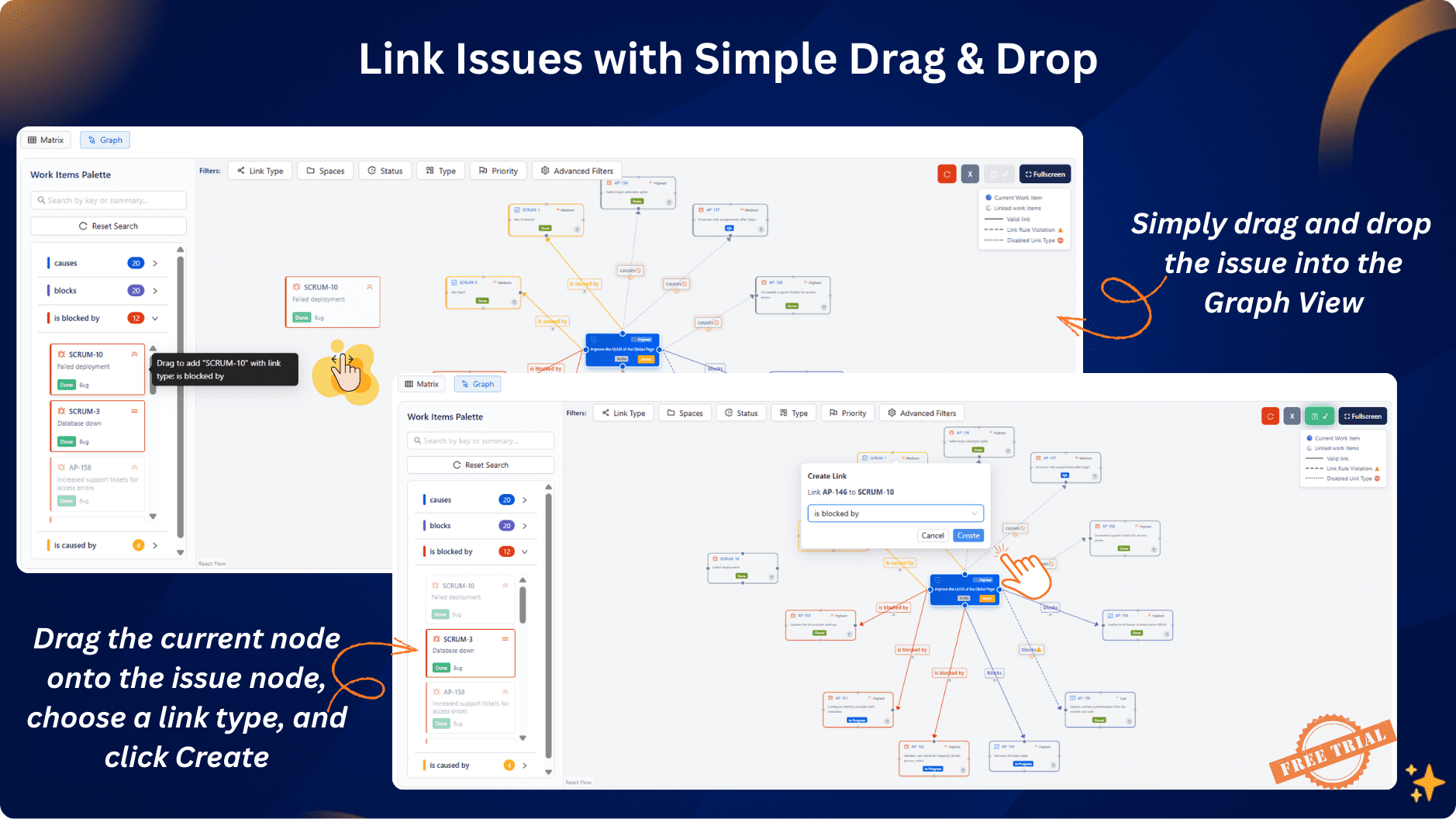
This app adds drag-and-drop ordering, allowing you to prioritize links, move critical dependencies to the top, and organize long lists instantly.
Natively, Jira cannot restrict link types by project.
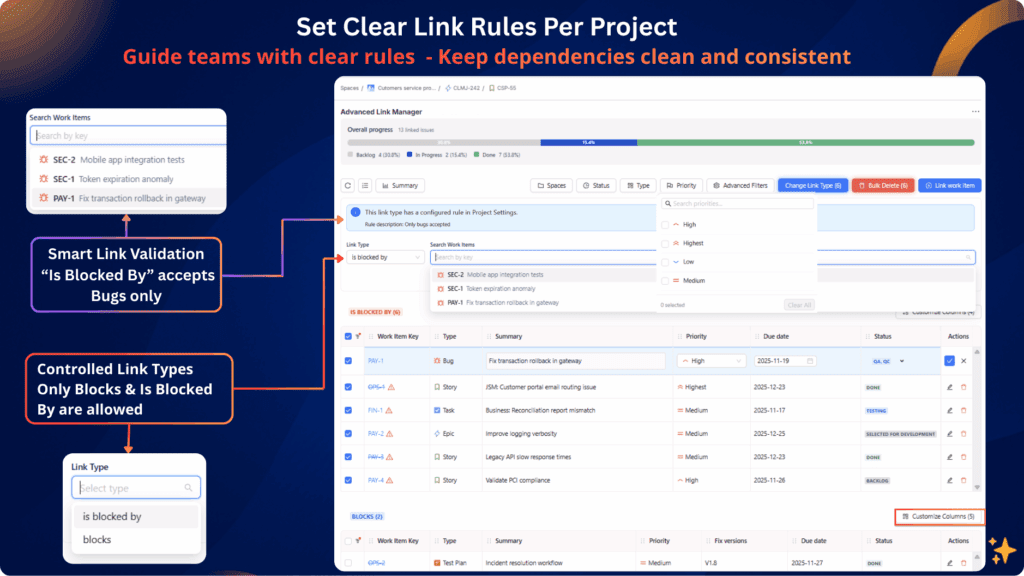
With Advanced Link Manager, you can define allowed link types per project and block or warn users when they attempt to create an unauthorized link.
Yes, with this app.
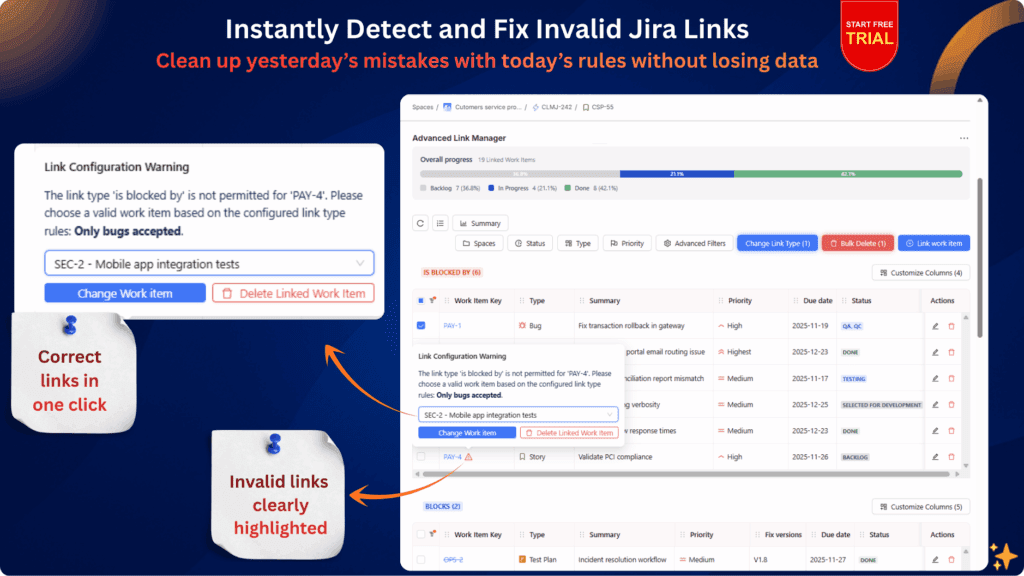
The system automatically flags, warns, and blocks link types that violate your project’s rules, preventing dependency pollution and improving governance.
The app identifies historical issues with:
incorrect link types,
reversed direction (e.g., Blocks vs Blocked By),
cross-project violations,
duplicate or messy links.
You can fix them instantly using:
→ One-click link-type change
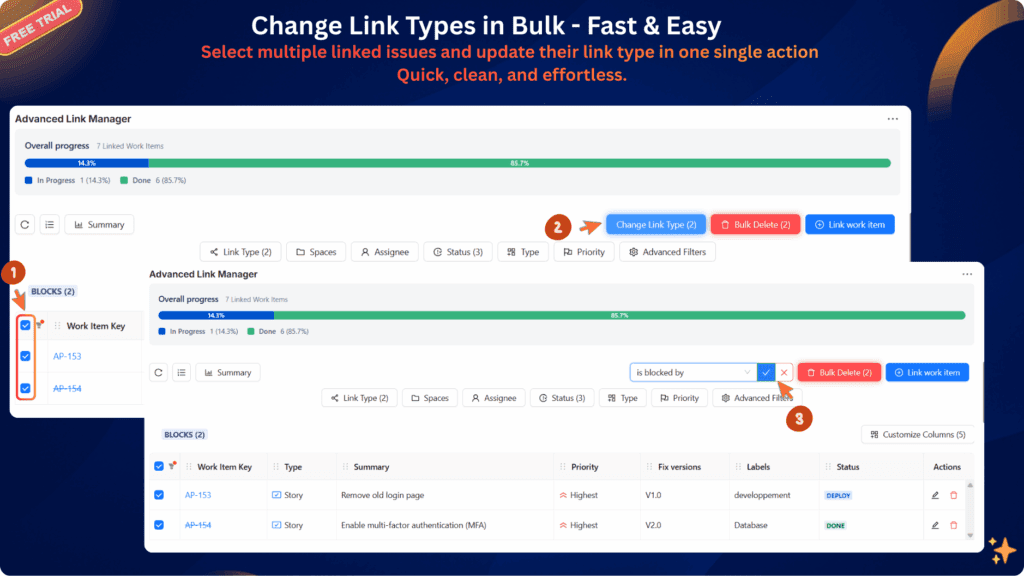
→ Bulk cleanup
→ Drag-and-drop restructuring
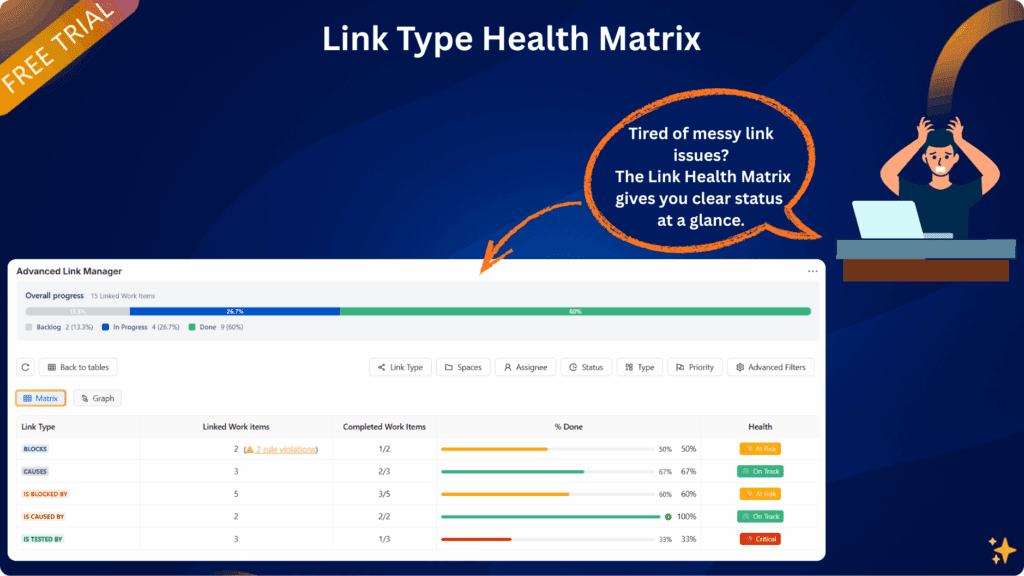
The app provides two advanced visualizations:
Matrix View:
Audit, analyze, and standardize linking patterns across teams.
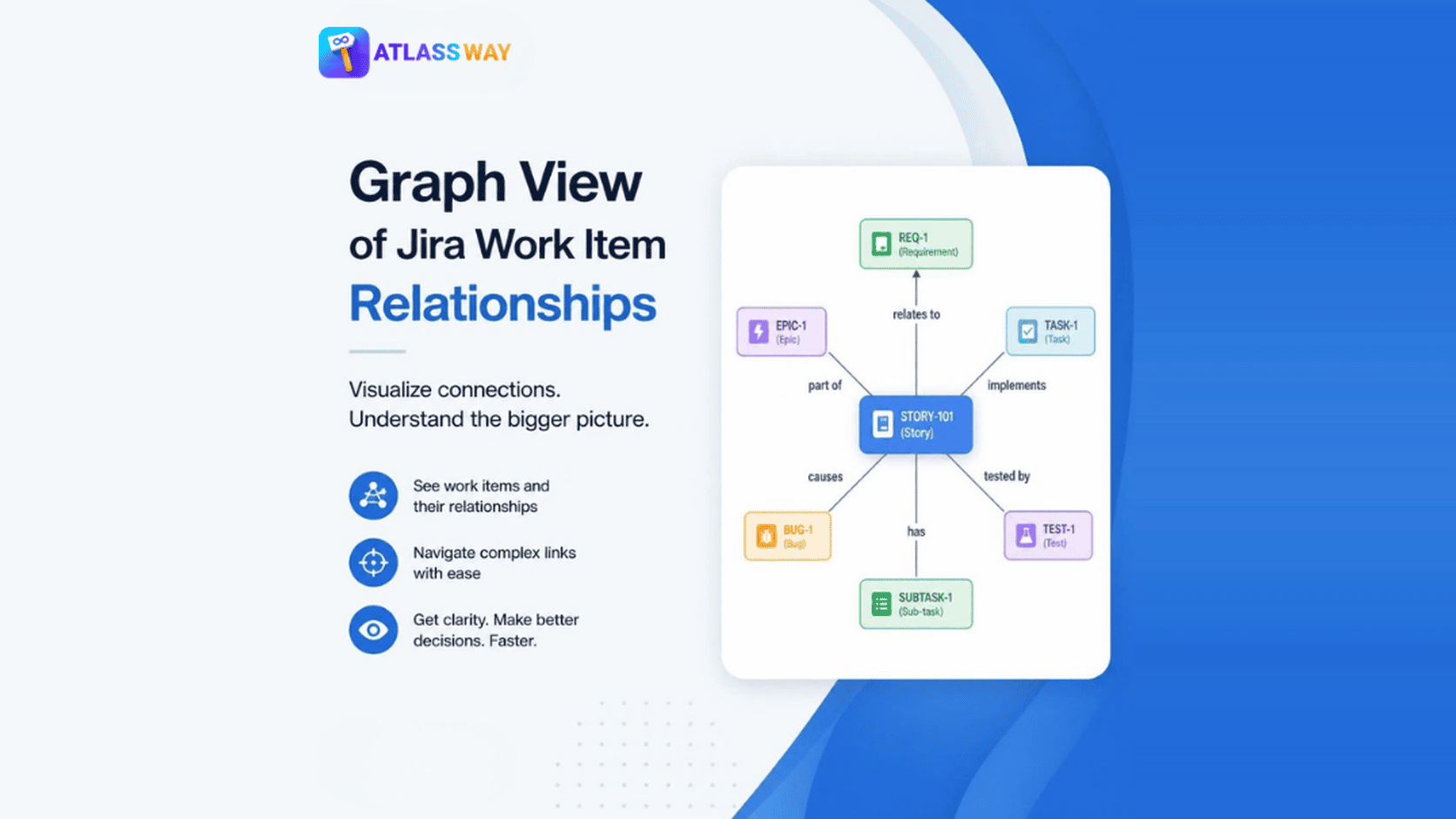
Graph View:
Interactive dependency graph to understand cross-project relationships visually.
Yes, fully.
The app supports TM and CM projects with no configuration needed.
Yes.
Being a full Forge app means:
data never leaves Atlassian’s infrastructure,
enterprise-grade isolation,
no external storage,
excellent performance,
native integration with Jira Cloud.
Forge = highest security standards available on Marketplace.
Yes, it supports both Jira Software and Jira Service Management.
It enhances linked issues in all issue types and all teams.
Yes.
You can apply governance rules across many projects, enforce standardized linking behavior, and control cross-project dependencies at scale — ideal for enterprises and PMOs.
Yes , this app includes a built-in dependency graph view directly inside the issue, allowing you to explore relationships visually without switching tabs or using external tools.
Yes , the matrix view in Advanced Link Manager provides a clear dependency grid that highlights link types, patterns, and anomalies across issues or projects.
The app automatically detects:
unauthorized links,
wrong types,
missing direction,
duplicates,
cross-project violations.
You can fix them with bulk tools or warnings inside each issue.
Admins can define:
allowed link types per project,
automatic warnings,
blocking rules,
cross-project restrictions,
standardized structures.
All users see consistent, governed link behavior.
Yes.
Advanced Link Manager lets you convert link types (e.g., “Relates To → Blocks”) in one click — no need to delete and recreate links.
It enhances and upgrades it with:
grouping,
ordering,
validation,
visual hierarchy,
warnings,
and advanced tools.
You stay in the same place but gain full control.
Absolutely.
It’s designed for organizations with:
complex architectures,
cross-project dependencies,
portfolio-level governance,
PMO oversight,
strict data quality requirements.
Yes, by enforcing clean, consistent link types, your dependency and blockage reports become dramatically more reliable.
No , it is optimized with Forge for:
fast loading,
incremental rendering,
smooth performance even with long link lists.
Yes , send any Jira ticket or Atlassian documentation, and I can:
verify compatibility,
interpret the feature,
add support inside the app,
or help rewrite documentation for your product page.