
Combined Templates in Advanced Work Item Templates for Jira simplify the entire process. By combining a parent work item with its predefined sub-tasks in a single template, you can create complete work structures in one operation instead of configuring each work item individually.
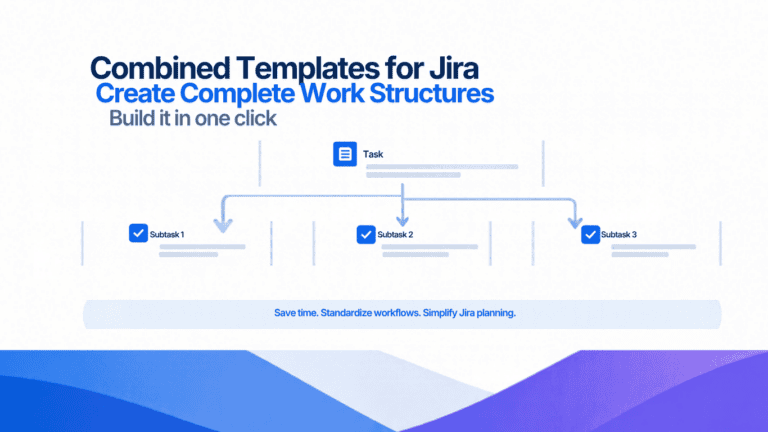
Unlike Standard Templates, which define a single work item, Combined Templates bring together a parent work item and the sub-tasks required to complete it.
For example, imagine your team regularly creates a Story that requires sub-tasks for implementation, testing, and documentation. Instead of creating the Story and adding each sub-task manually, you can define the entire structure in a Combined Template and reuse it whenever needed.
Each time you use the template, the parent work item and its predefined sub-tasks can be created together, giving your team a consistent starting point for recurring activities.
When working with an Epic, Combined Templates make it easier to build a complete hierarchy without creating every work item separately.
You can select a Combined Template to create a child work item, such as a Story, Task, or Bug, together with its predefined sub-tasks. You can also specify how many parent work items to create and how many sub-tasks each one should contain.
For example, if you’re preparing an Epic for a new feature, you could create multiple Stories, each with its own set of implementation and testing sub-tasks. The result is a structured hierarchy created with minimal manual effort.
Combined Templates can also be used directly from the app, without first opening an Epic.
From the template list, click the + button next to the Combined Template. Select the project or projects where the work items should be created, then specify the number of parent work items and the number of sub-tasks to create for each parent.
This is particularly useful when you need to generate several similar work items across projects or prepare recurring activities in bulk.
Reduce repetitive work: Create parent work items and their sub-tasks in one operation.
Save time at scale: Generate multiple parent work items and their sub-tasks without creating each one manually.
Simplify Epic planning: Build structured hierarchies under an Epic more efficiently.
Reuse proven configurations: Define a work structure once and apply it whenever the same process is needed.
Combined Templates help teams move beyond creating individual Jira work items and make it possible to reuse complete work structures. Whether you’re organizing Stories under an Epic, preparing recurring Tasks, or creating multiple work items with predefined sub-tasks, you can reduce manual effort while keeping your processes consistent.
With Advanced Work Item Templates for Jira, a single template can provide the foundation for an entire set of related work items, helping your team spend less time on setup and more time getting work done.
Ready to simplify work item creation? Explore Advanced Work Item Templates for Jira and discover a more efficient way to build complete work structures.
Looking for more ways to optimize your Jira experience? Explore our full range of Atlassway apps and discover powerful solutions designed to simplify workflows, improve productivity, and help you get more from Jira