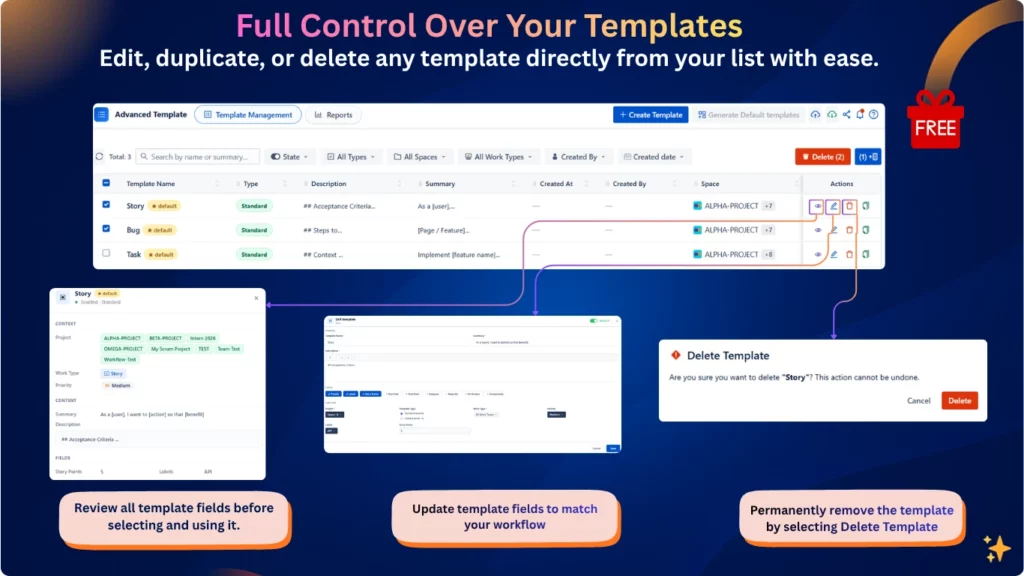
Manage your templates with ease from a single location. Create, edit, duplicate, or delete templates in just a few clicks. Organize your templates, keep them up to date, and quickly adapt them to your team’s evolving workflows.
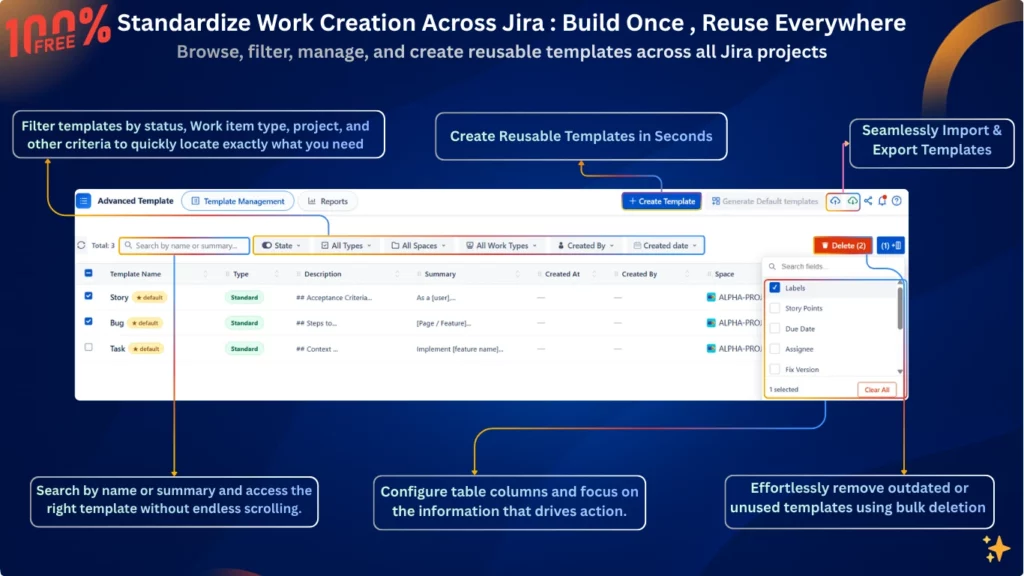
Ensure consistency across teams and projects by using reusable templates throughout your Jira instance. Browse, search, and filter templates to quickly find the right one, reduce manual errors, and maintain standardized work item creation across every project.
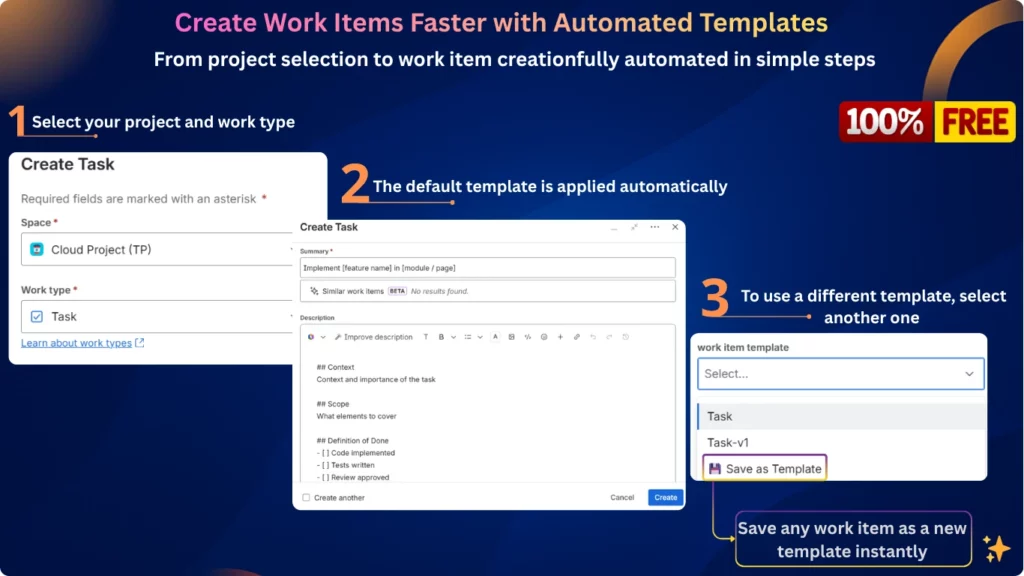
Creating work items in Jira shouldn’t mean starting from scratch every time.
Without a standardized approach, teams often recreate the same tasks manually, copy information from old issues, and enter the same fields repeatedly. Over time, this can lead to inconsistent structures, missing information, and unnecessary effort.
Advanced Work Item Templates for Jira Free gives your team a smarter way to create consistent work items using reusable templates.
Create once. Reuse whenever you need it. Less repetition. More consistency. Faster work.
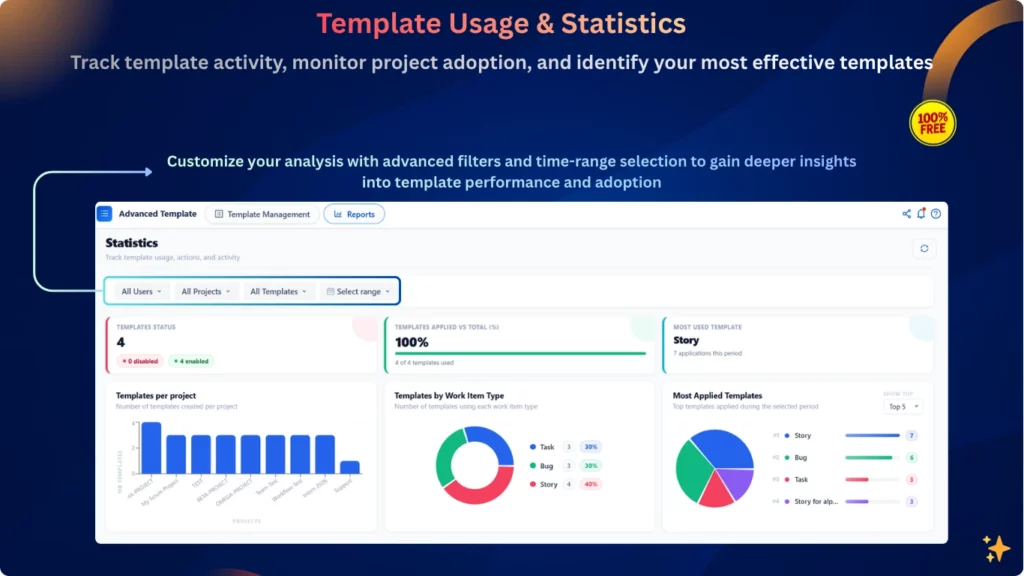
Track Template Usage and Improve Your Team’s Workflow
Monitor template adoption, discover your most-used templates, and analyze usage across projects to ensure your teams work consistently and efficiently.
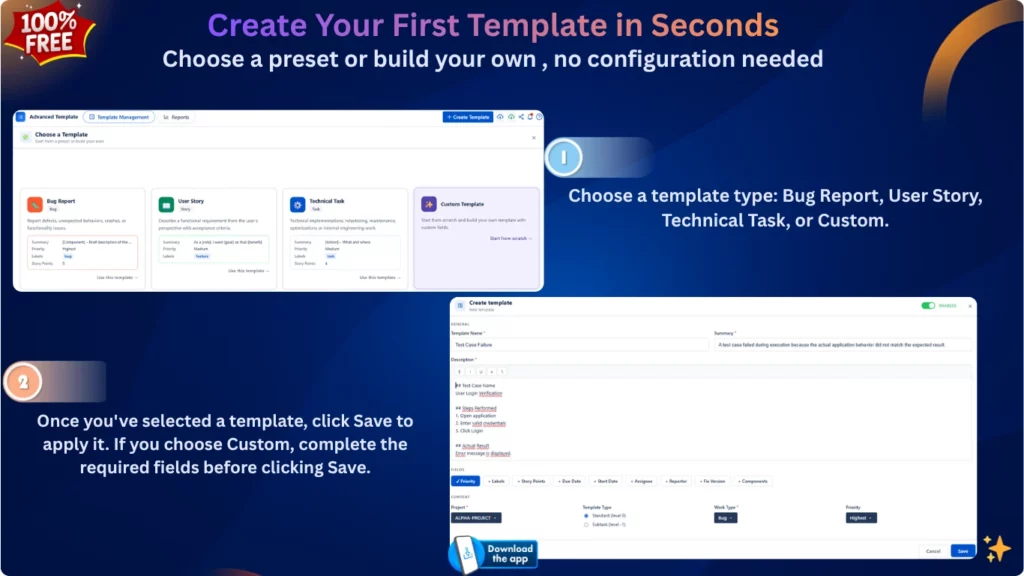
Go to Apps → Advanced Work Item Templates for Jira → Create Template. You can start from a ready-to-use template or create one from scratch, then define the fields and work item type you need.
Yes. You can build a custom template and define its summary, description, project, work item type, priority, labels, assignee, due date, and other supported fields.